User Guide
Protego Denial Preventer
General FAQs
What does the Protego app do?
Protego reads your screen in real time and detects the inputs that determine coverage (payer, procedure, diagnosis, modifiers, POS, TOS Units). It does not capture PHI.
How do I request a new feature or give feedback (we want the positive and especially the negative!)?
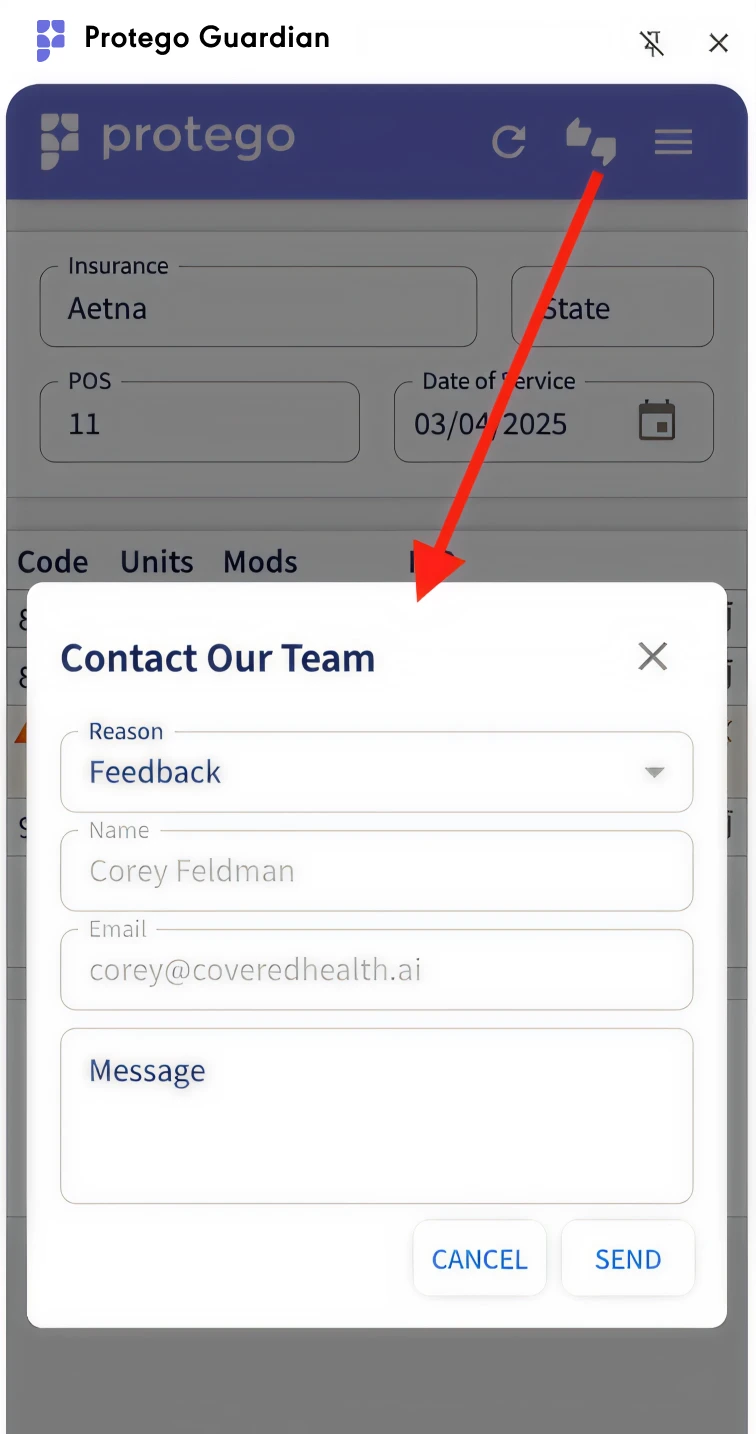
If you see something that doesn’t look right, you want to request a new feature, or just give general feedback, click the feedback button, which looks like two hands shaking. That will expand a window which will allow you to add feedback - we will only see what is displayed within the copilot, not what is on your EHR page, so make sure to add additional details as may be needed.
How do I display or hide the various types of warnings/notifications ?
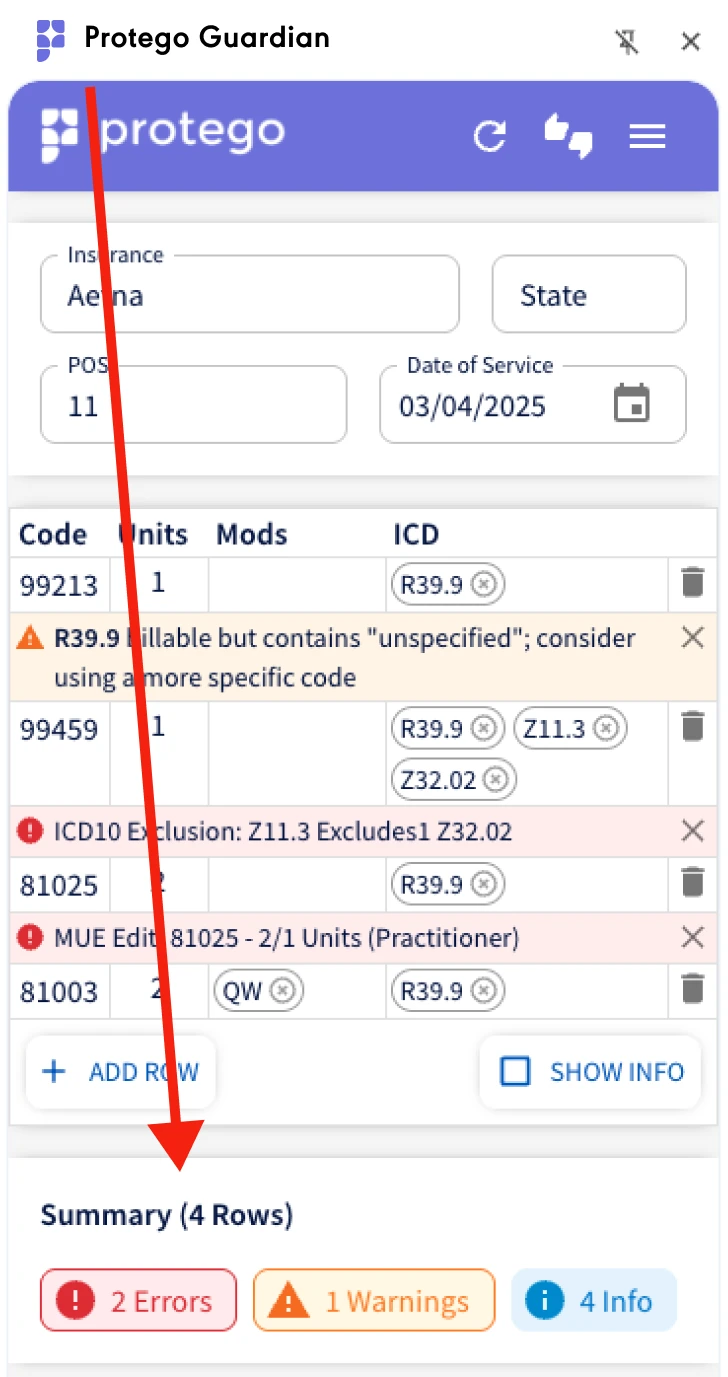
In the bottom of the app, you will notice 3 colored warnings: Errors, Warnings, and Info. Clicking any one of them will result in the app displaying (or hiding) that category for that claim. That setting will hold for the duration of your session.
How can I see more details about a suggestion the app is making?
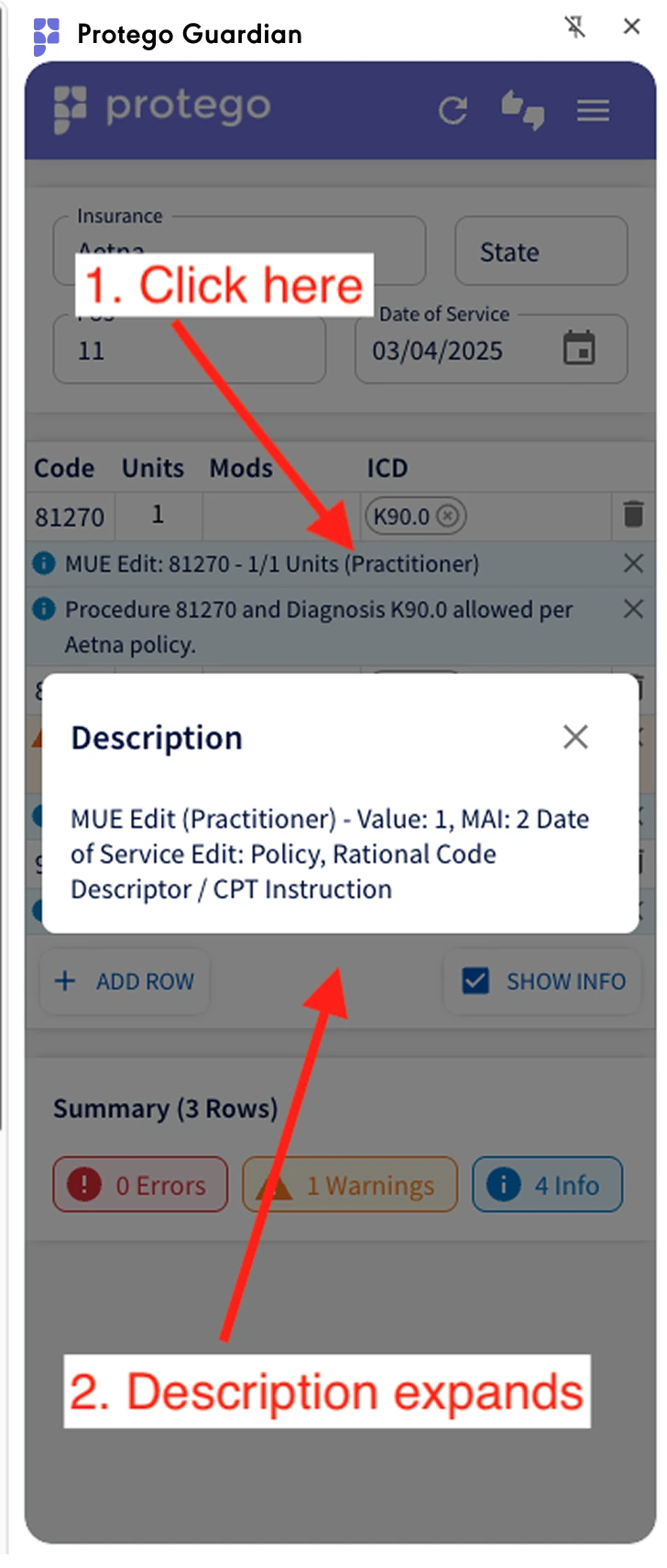
Clicking any of the warnings displayed within the app will expand the description so you can get more details on what is being suggested and why.
How does Protego work with Vim?
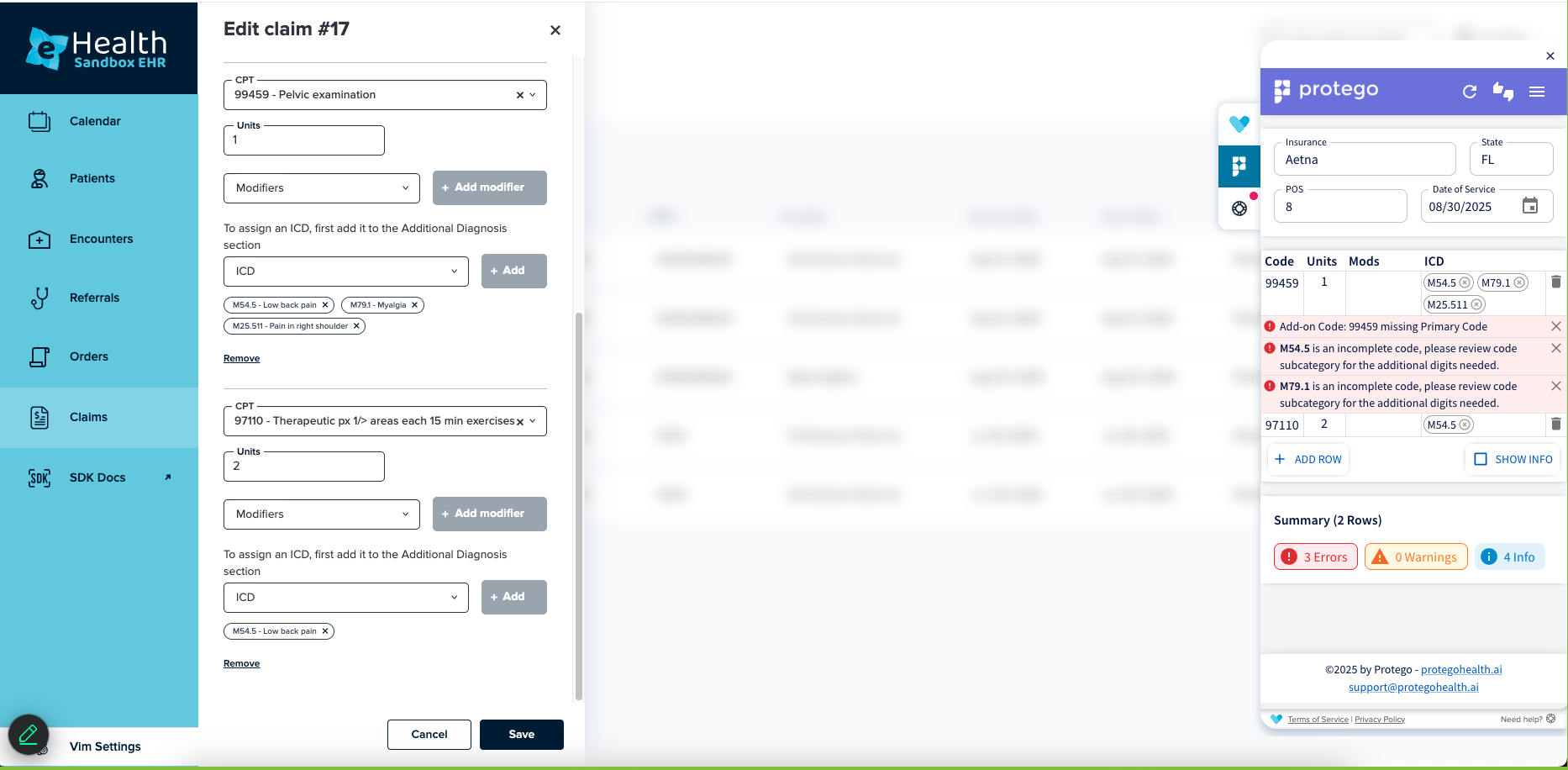
Protego can be added as an app, just like any other available through Vim. As your team is creating/working on claims as in the attached screenshot, Protego's software reads the inputs that determine coverage (payer, procedure, diagnosis, modifiers, etc) and runs them against our coding guidelines and payer policies in real time to catch problems before they lead to denied claims. We can also build custom billing rules into the app based on the needs of individual clients.
Categories
Errors
Incomplete codes
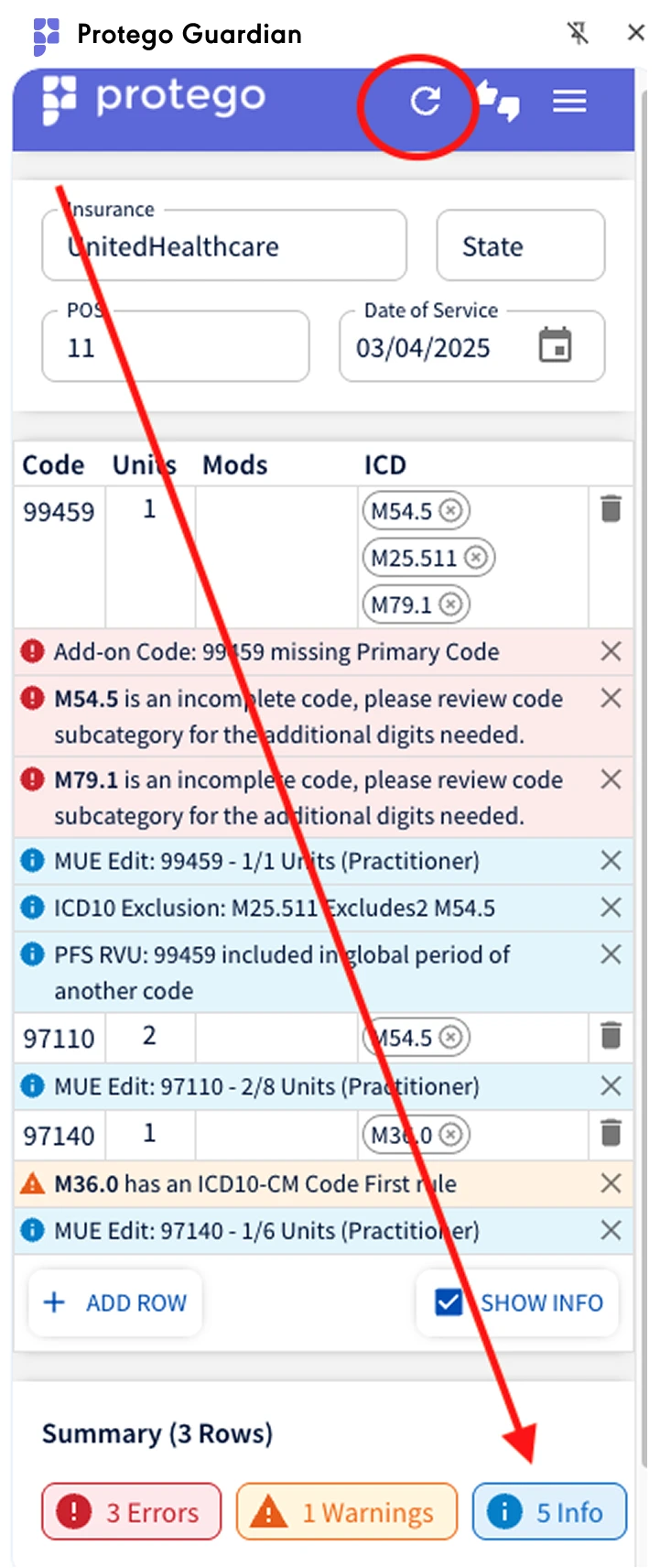
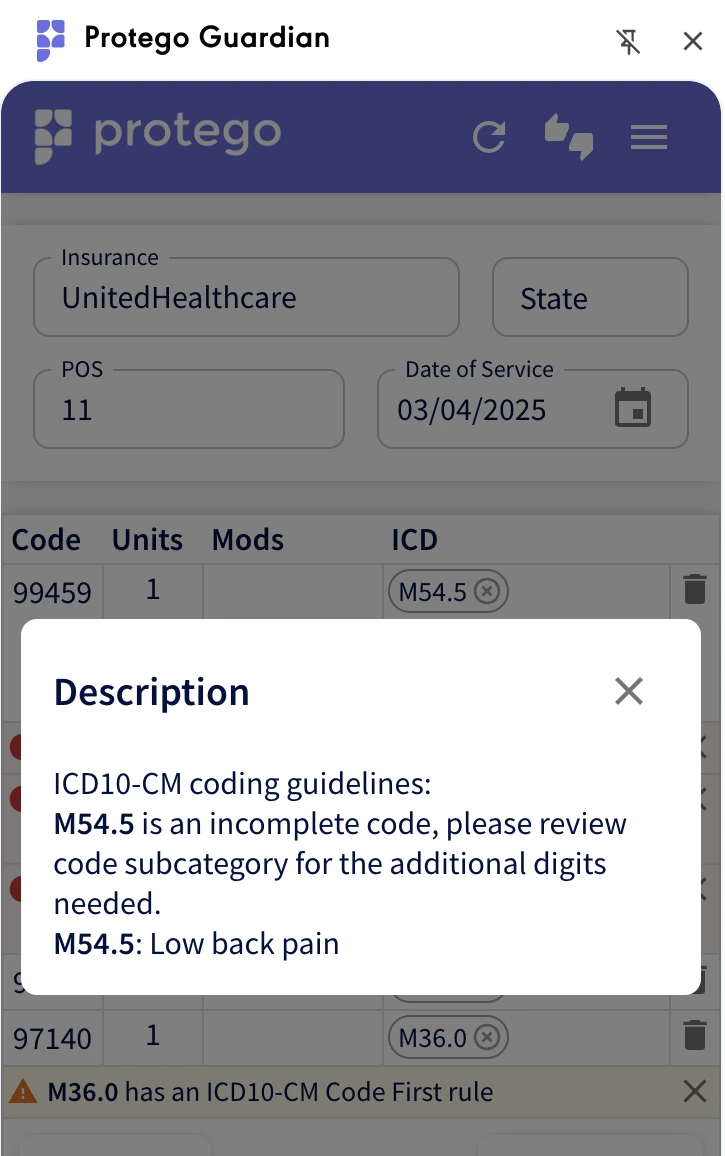
Incomplete codes, i.e., M54.5 is an incomplete code, please review code subcategory for the additional digits needed.
Exclusions
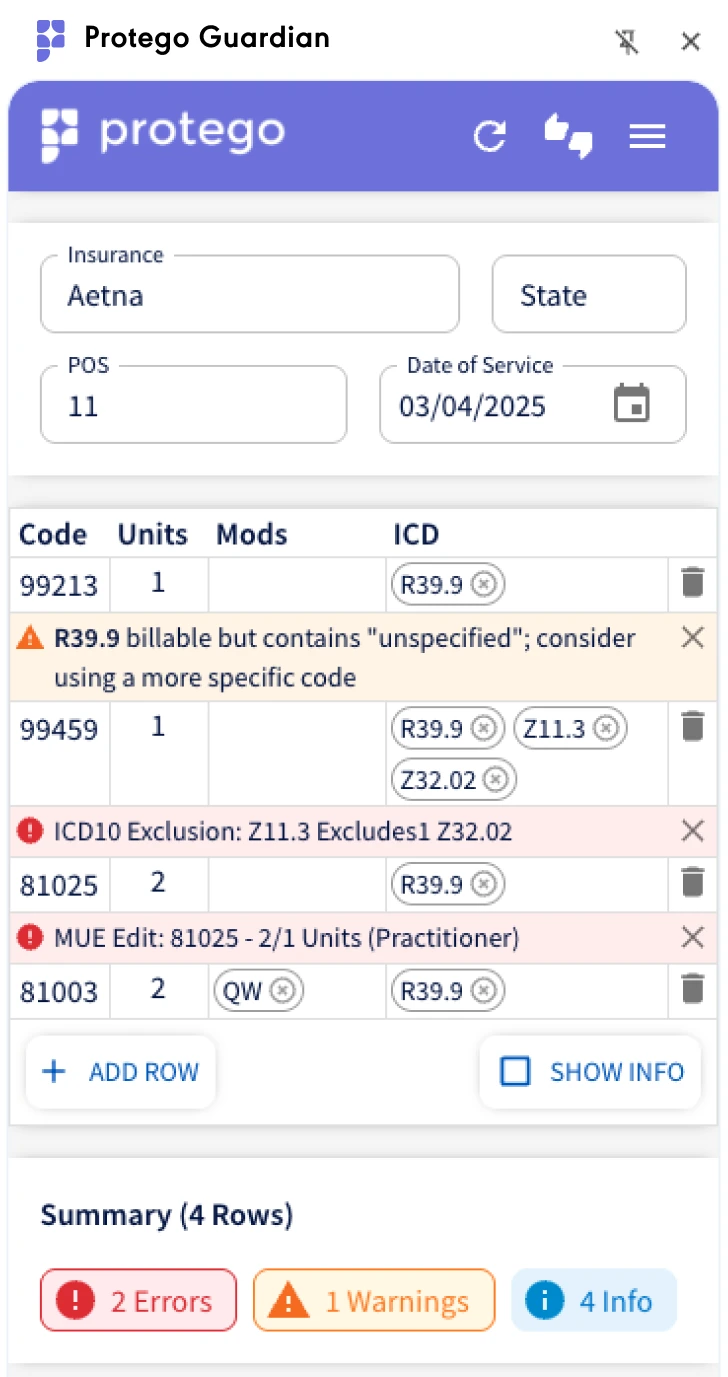
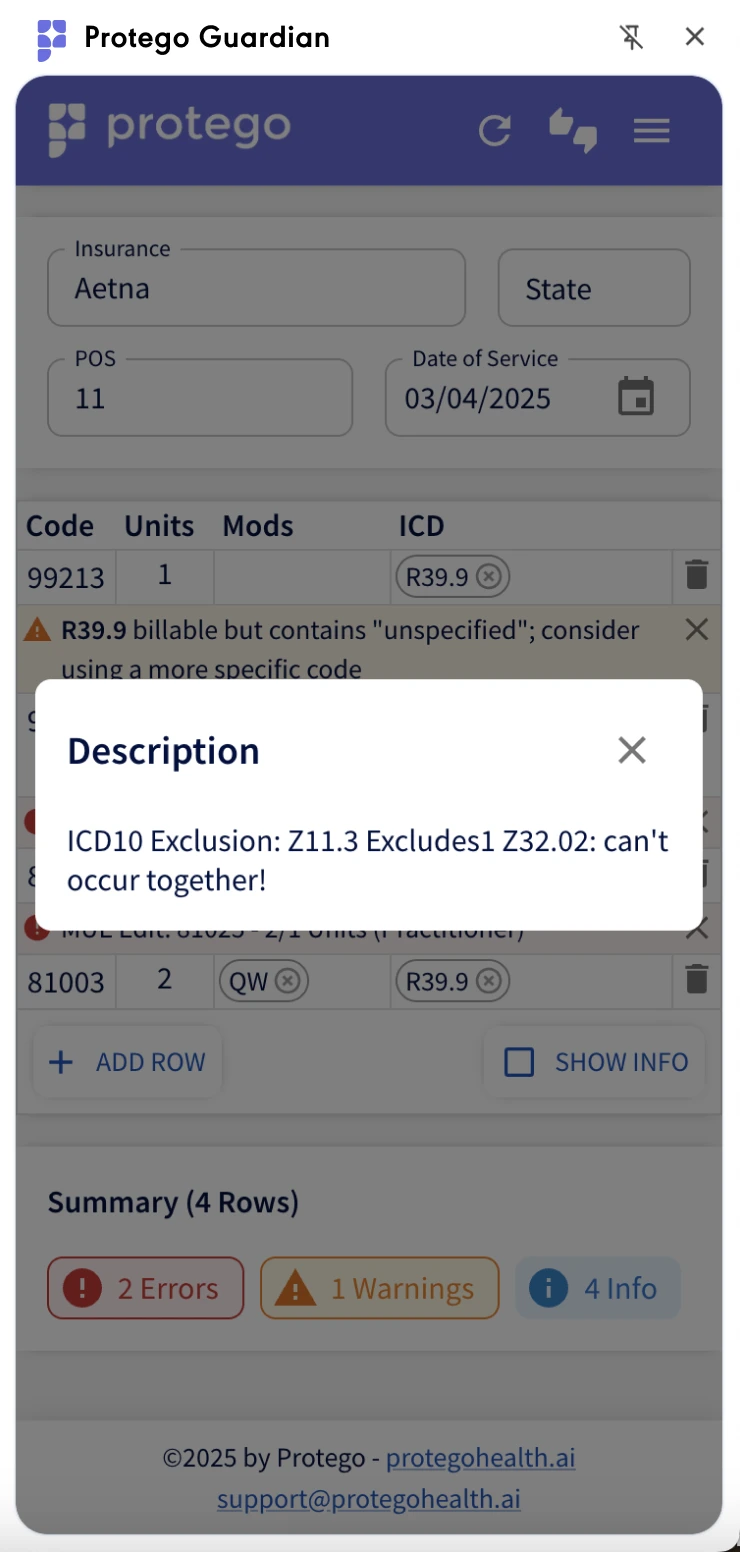
Exclusions (ICD’s/Dx’s that can’t be billed together), i.e. Z11.3 excludes Z32.02 - can’t occur together
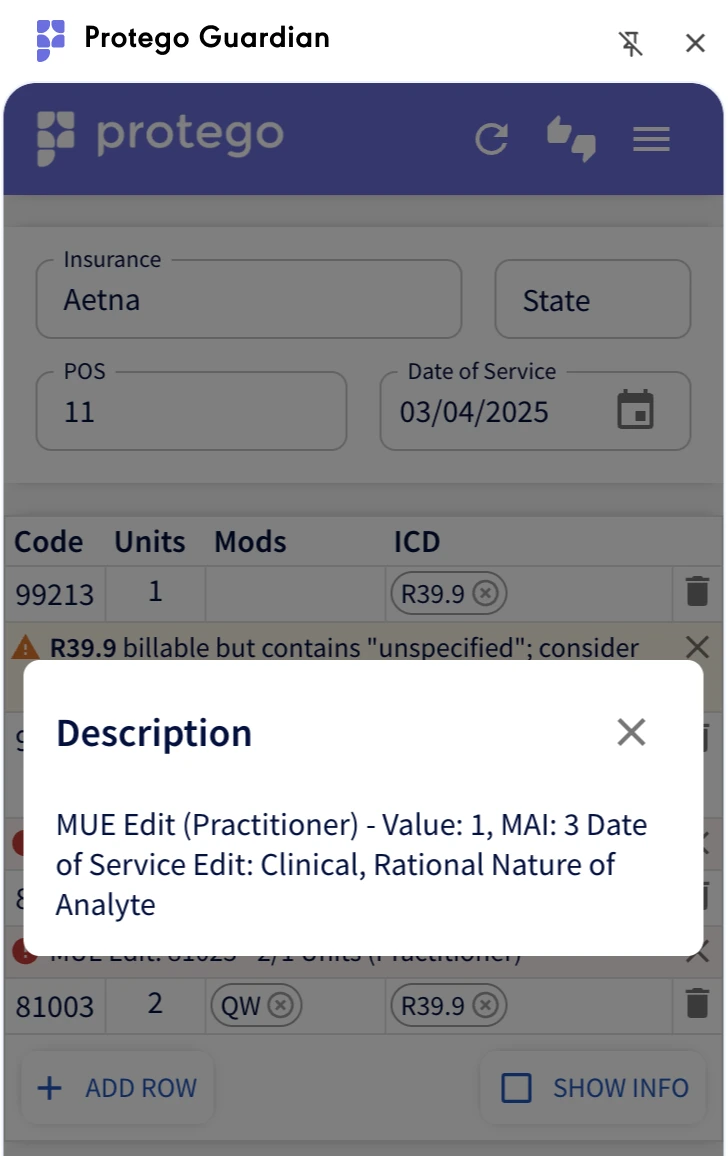
MUE Edits
Protego will note when the billed procedure code exceeds the number of units typically allowed for a single patient encounter under CMS Medically Unlikely Edits (MUE)
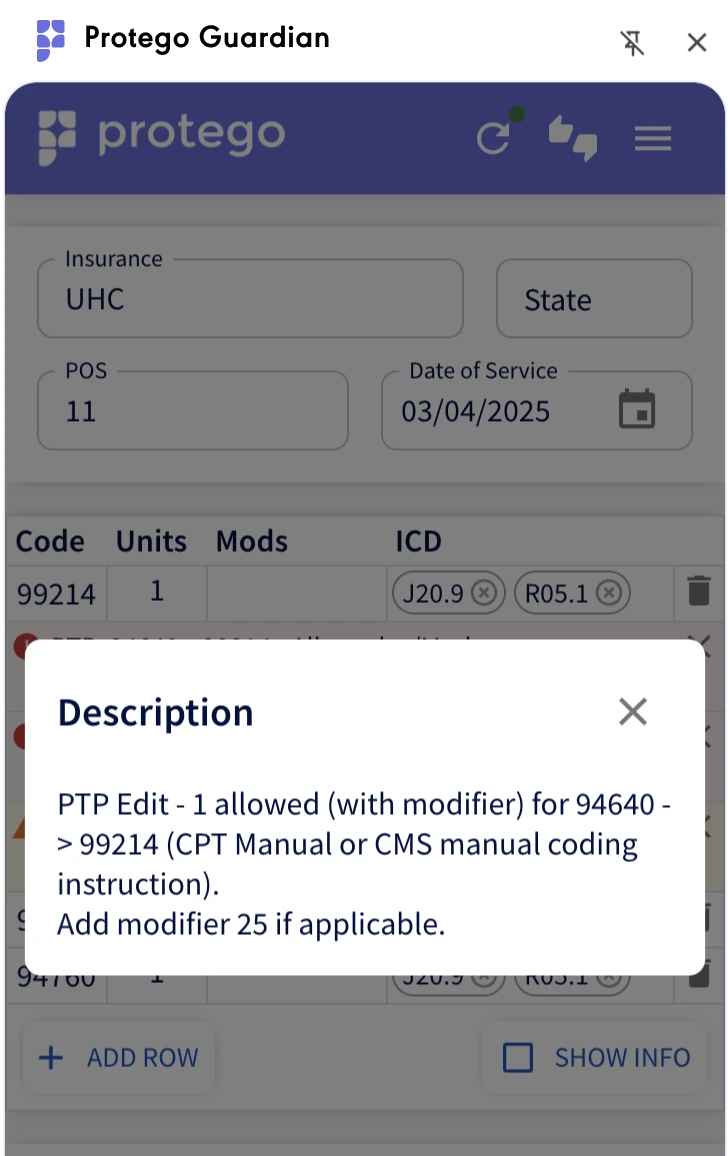
PTP Edits
(based on NCCI rules), i.e., you can’t bill 94640 and 99214 together on the same date unless modifier 25 is used (where applicable)
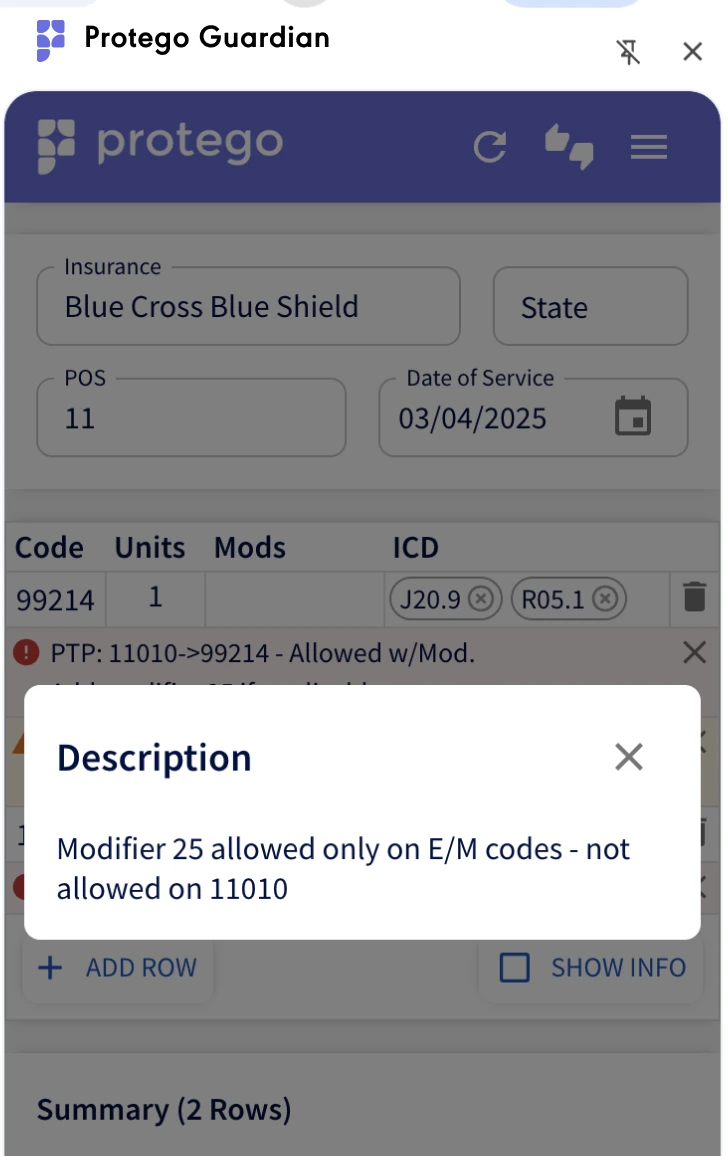
Inappropriate modifier usage
Modifier 25 allowed only on E/M codes - not allowed on 11010 (the software also flags other modifiers - laterality, 50, etc.)
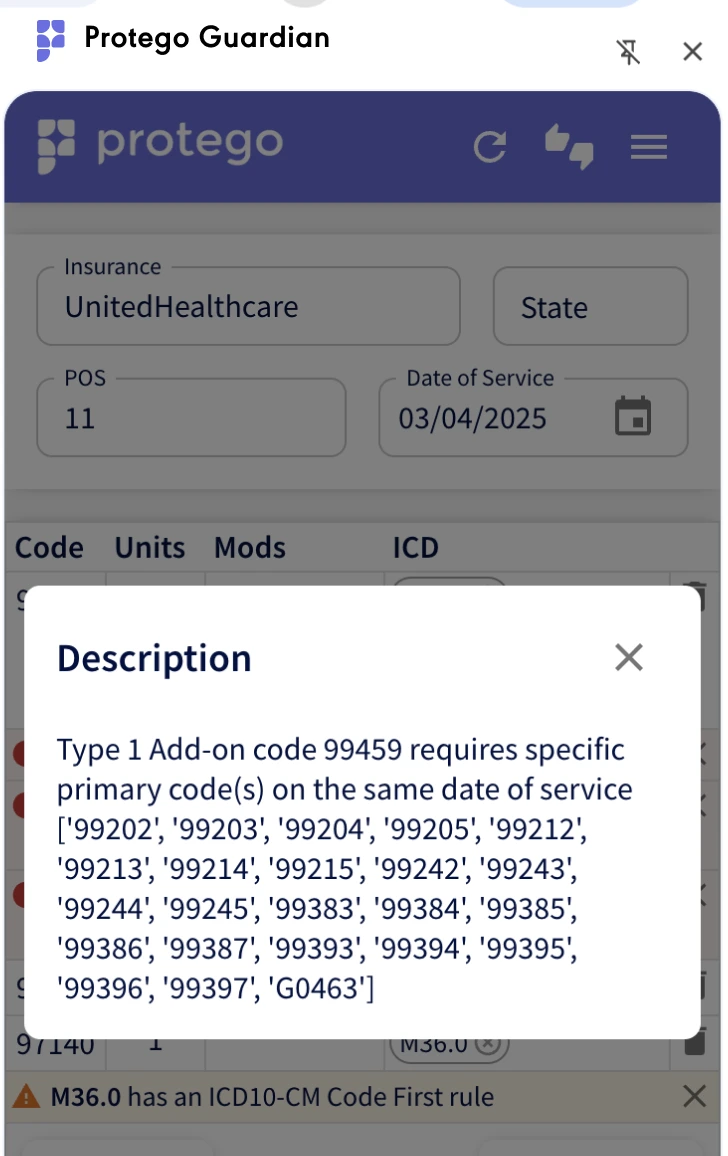
Add-on Code requires specific Primary code
As an example, 99459 missing Primary Code, Type 1 Add-on code 99459 requires specific primary code(s) on the same date of service [99202-05, 9921215, 99242-5, 99383-87, 99393-97, G0463]
Warnings
ICD10-CM coding guidelines
R39.9 is billable (for CPT 99213) but contains “unspecified, and you should consider using a more specific code.
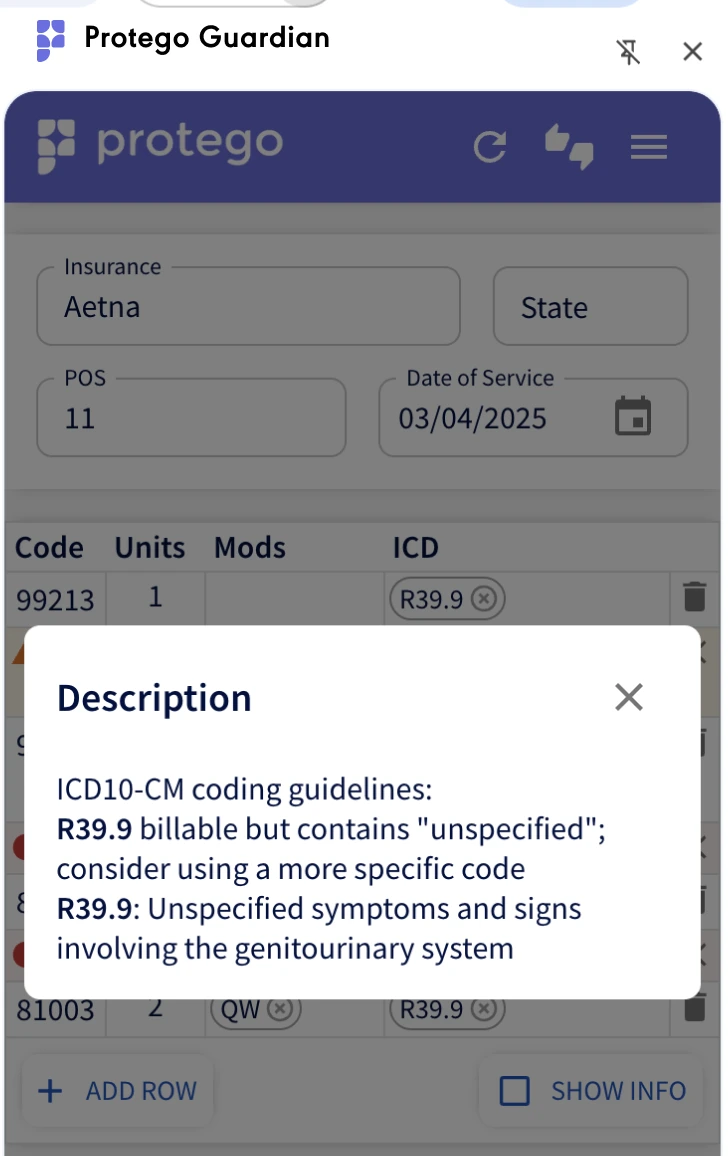
ICD10-CM Code First Rule
M36.0 has an ICD10-CM Code First rule: underlying neoplasm (C00-D49)
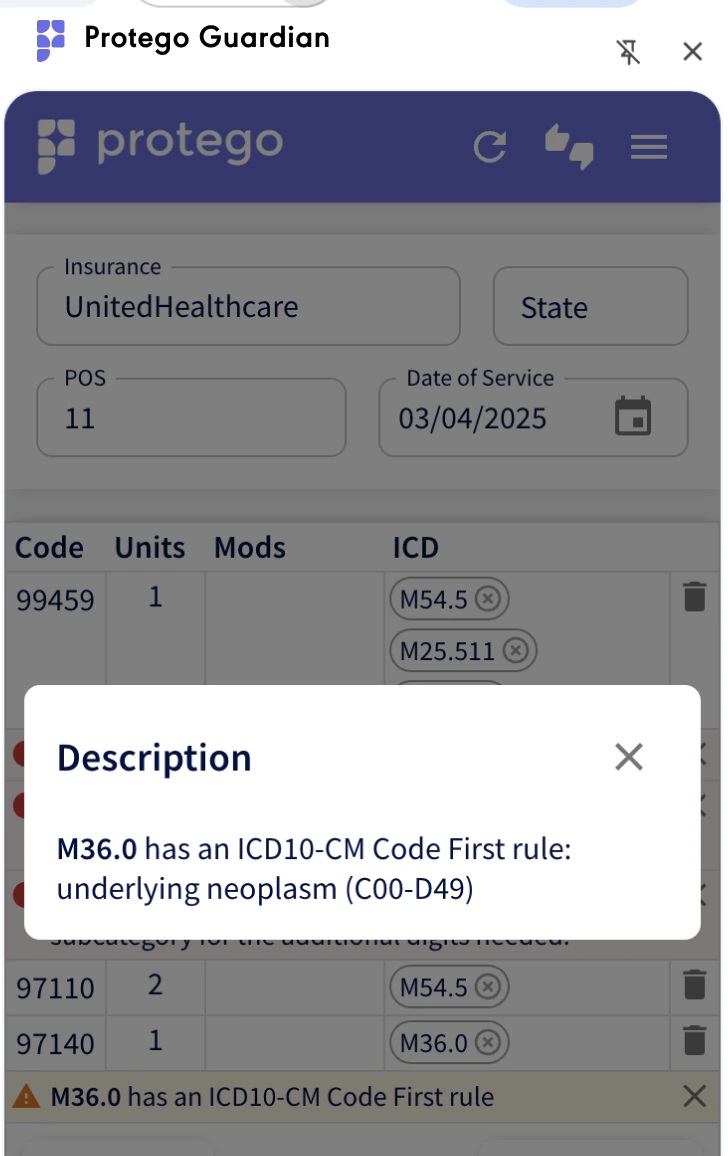
Medical Necessity
These are based on payer specific criteria, i.e procedure 87910 and Diagnosis K90.0 may not be allowed per Aetna's medical necessity criteria. Policy link <Polymerase Chain Reaction Testing: Selected Indications> Allowed dx codes: A03.0-A03.9,A04.71-A04.72,A06.0-A06.9,A15.0-A19.9,A21.0-A21.9,A23.0-A23.9,A24.1-A24.9,A28.1...
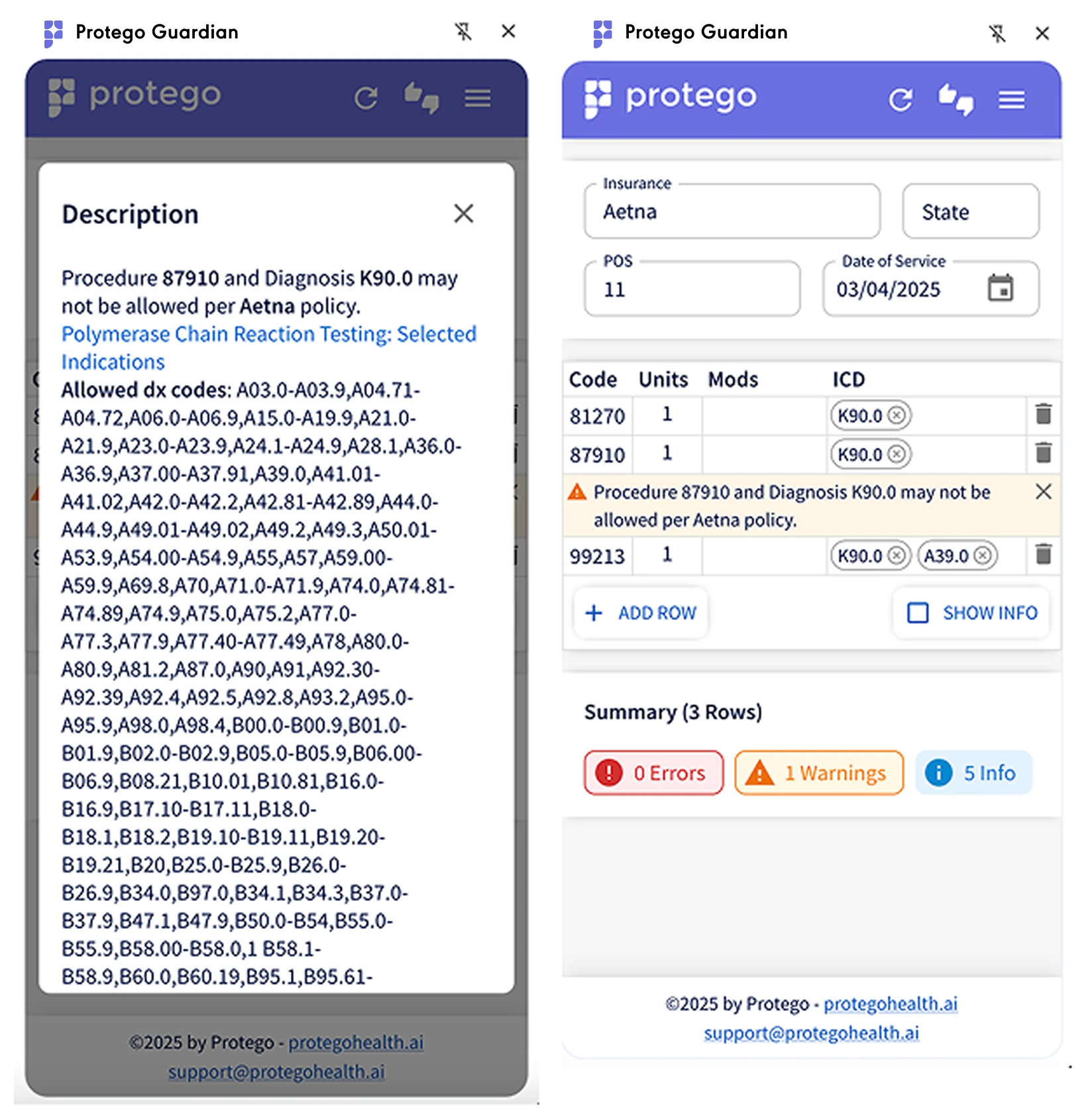
Info
Uncovering the "passed" edits
If you click the info button as indicated in the screenshot, it will cause the rows that contain "passed edits" to appear, or disappear if you've already clicked it. If you x away warnings, you will need to refresh to get them back - the refresh button is circled in the screenshot.